
Week #11
TOWSON WEATHER ?
Sound:
<p>Click on the play button to play a sound:</p>
<audio controls autoplay>
<source src="farm.mp3" type="audio/mpeg">
Your browser does not support the audio element.
</audio>
CODE SOURCE: w3schools.com/tags/...html5_audio_autoplay
Farm Animal Sounds...
<h1>The video autoplay attribute</h1>
<!-- NOTE: this will not work with "audio controls autoplay"
& may not work in all webbrowsers -->
<video width="320" height="240" controls autoplay>
<source src="movie.mp4" type="video/mp4">
<source src="movie.ogg" type="video/ogg">
Your browser does not support the video tag.
</video>
DOWNLOAD SOUND_VID.zip
***Check Homework***
Talk about Student Pages:
https://ryansmithart.com/fall2026/students.html
Technical Support at TOWSON:
[copied from ART466 Syllabus]
"Student Computing Services (SCS) located in the Cook Library
http://www.towson.edu/technology/studentservices/locations/index.html "
e-mail: scs@towson.edu
| HTML: | CSS: |
| <div class="marquee-container"> <div class="marquee-track"> <!-- First instance of the text group --> <div class="marquee-content"> <span>✦ SEAMLESS TEXT MARQUEE ✦</span> <span>TRENDING DESIGN EFFECT ✦</span> <span>PURE CSS ONLY ✦</span> </div> <!-- Duplicated instance to seamlessly fill the space as the first exits --> <div class="marquee-content" aria-hidden="true"> <span>✦ SEAMLESS TEXT MARQUEE ✦</span> <span>TRENDING DESIGN EFFECT ✦</span> <span>PURE CSS ONLY ✦</span> </div> </div> </div><!-- end marquee --> |
/* Flex track pulls both sets of text onto a single horizontal line */ /* The core animation applied to both blocks simultaneously */ /* The calculation to loop seamlessly back to the start */ /* Optional: Pause the scrolling when a user hovers over it */ |
- talk about Project #2 & Project #1 GRADES
examples:
- example_1
- example_2
- example_3
*Review:
*The Container Class (W3)
Dropdown Menu (W3)
Dropdown Images (W3)
*Responsive Navbar with Dropdown
(W3)
- What's "SmoothScrolling"
<!-- HTML -->
<a class="nav-link" href="#part_2">smoothScroll</a>
<!-- anchor: -->
<div id="part_2"></div>
// jquery & javaScript
<script src="https://ajax.googleapis.com/ajax/libs/jquery/3.3.1/jquery.min.js"></script>
<script>
$(document).ready(function(){
// Add smooth scrolling to all links
$("a").on('click', function(event) {
// Make sure this.hash has a value before overriding default behavior
if (this.hash !== "") {
// Prevent default anchor click behavior
event.preventDefault();
// Store hash
var hash = this.hash;
// Using jQuery's animate() method to add smooth page scroll
// The optional number (800) specifies the number of milliseconds it takes to scroll to the specified area
$('html, body').animate({
scrollTop: $(hash).offset().top
}, 800, function(){
// Add hash (#) to URL when done scrolling (default click behavior)
window.location.hash = hash;
});
} // End if
});
});
</script>
What's a favicon?
<link rel="icon" href="cat.jpg" type="image/jpg">https://www.seoptimer.com/blog/what-is-a-favicon/
More info:
https://seranking.com/blog/what-is-a-favicon/
<link rel="icon" href="favicon.png" type="image/png">
Or: ryansmithart.com/favicon.ico
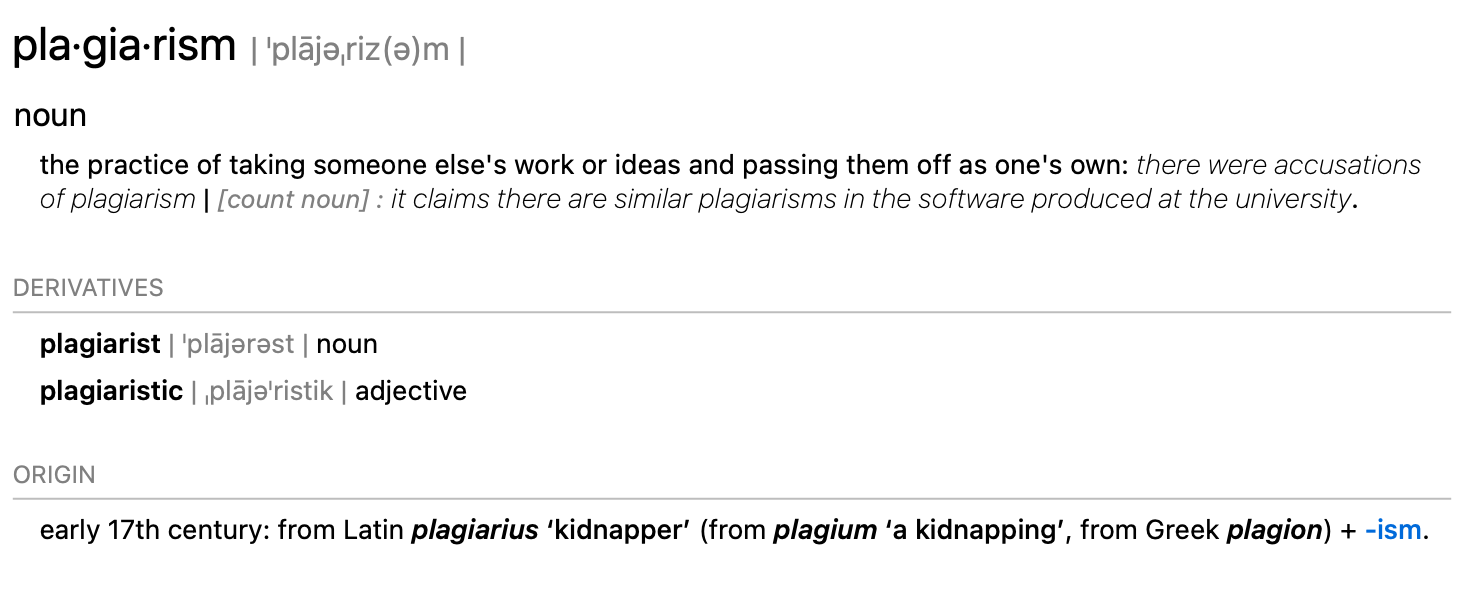
Talk about plagiarism

FUN STUFF:
https://gifrun.com
https://3ra1n1ac.com/ [BRAINIAC]
if there's time this week...
* Talk about Typography & Readability

CHANGING BACKGROUND COLORS W/ JAVASCRIPT:
https://ryanSmithArt.com/fall2026/bg| HTML: | CSS: | JS: |
| <!-- <h1>SECTIONS:</h1> --> <section data-color="#dd7700"><h1>Section 1</h1></section> <section data-color="#000000"><h1>Section 2</h1></section> <section data-color="#999999"><h1>Section 3</h1></section> |
<style> body { section { </style> |
const observer = new IntersectionObserver((entries) => { sections.forEach(section => observer.observe(section)); |
HOMEWORK:
*Finish Project #2
Your 2nd project is due at 6:00pm: NEXT CLASS
Presentations will start promptly at the beginning of class (please don't be late)
Please bring an external hard drive or "thumb drive" with you to class.
Note: You will use your (USB) flash drive to move your files from your computer to the desktop computer.
I will also expect you to upload your projects to Towson’s server space (Tigerweb.towson.edu/…).
If you forget to bring your "Thumb drive", and you’re having difficulty uploading your project, you may need some help.
...If you need help, please ask for assistance.
If you have a broken or incomplete project, bring it to class anyway.
Required materials for this class:
(1) a flash drive or hard drive: 2GB or more
(some external device to store your work on)
(2) *Personal Web Space (Towson user accounts are fine)
(3) a sketchbook, something not too big, about 8x10 inches
(for notes and sketches)
(4) something to write & make drawings with